Edit site.yaml
Name, colors, text, and section order live in one file. Empty sections do not show.
schema: gvaste-pages/v1preset: appsections: [hero, demo, docs, links]Section catalog
This page shows every section the kit can build. A project page keeps only the sections it can fill with real content.
pnpm build
About
Use this section when numbers, steps, and limits belong in one reading. This copy is from the kit itself.
Add the project name, colors, and the sections you want. Skip the rest.
From gh-pages-template
Numbers
These counts come from TokenUsage. Each number has a source in that repository.
From tokenusage
GitHub
The browser reads the public GitHub API for Panopticon. These counts are not written in YAML.


Weekly commits load from GitHub.
From panopticon
Steps
SpriteBoy moves one sprite sheet through these four steps, in this order.
Detect
Arrange regions and assets on the compose canvas.
Sequence frames and inspect timing in context.
Write PNG
From sprite-boy
Screens
Show the app itself here. These four screens come from SpriteBoy.
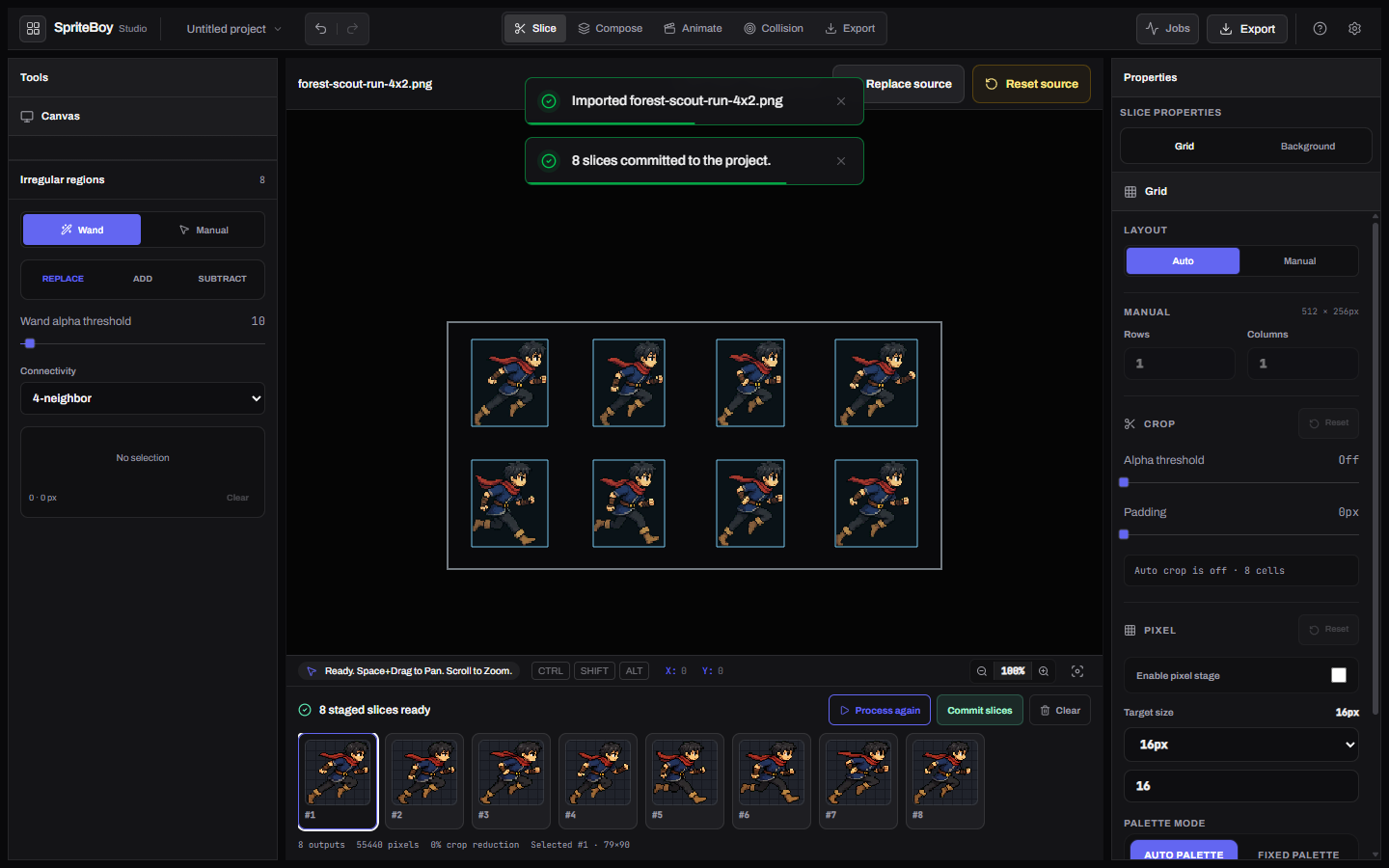
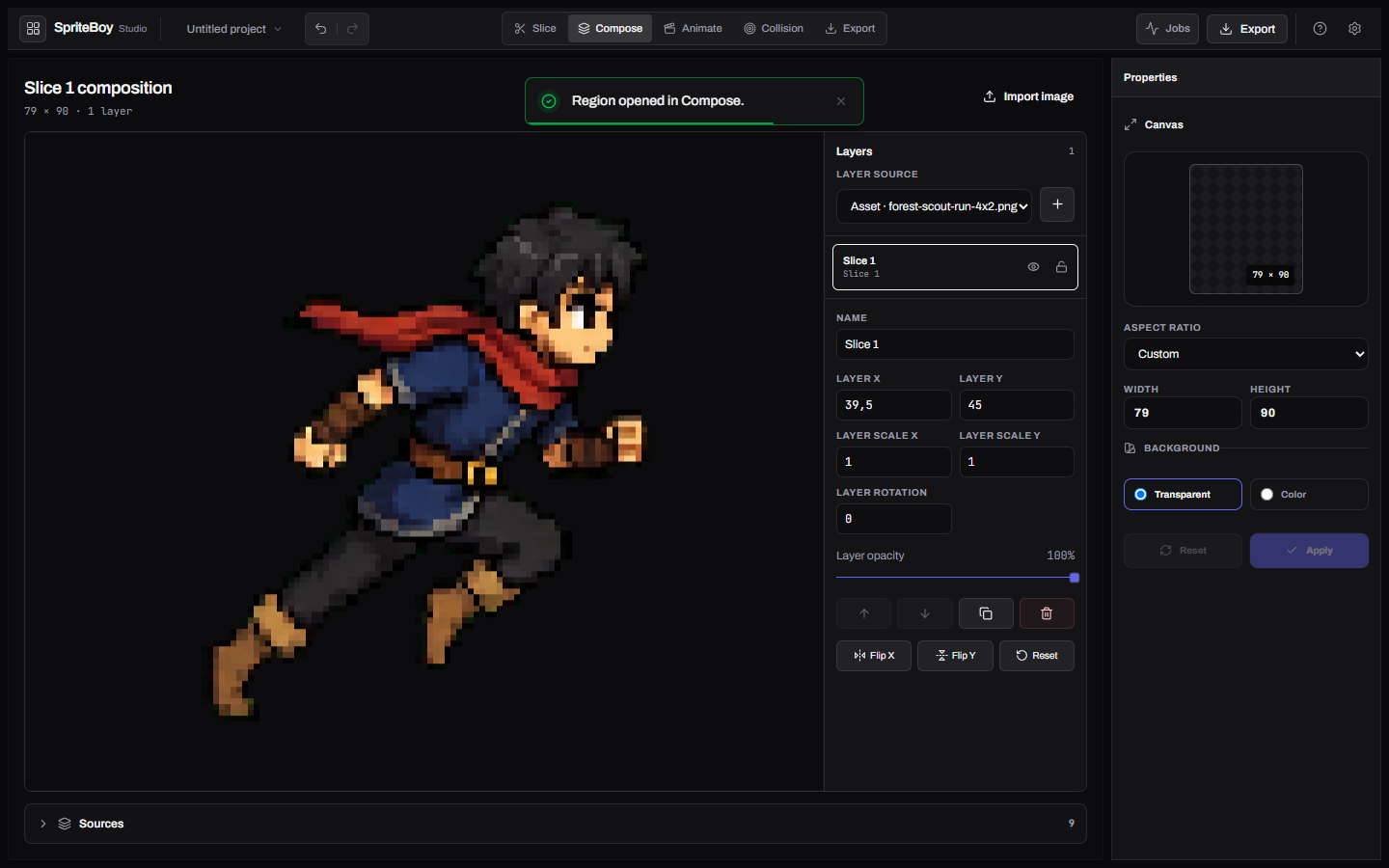
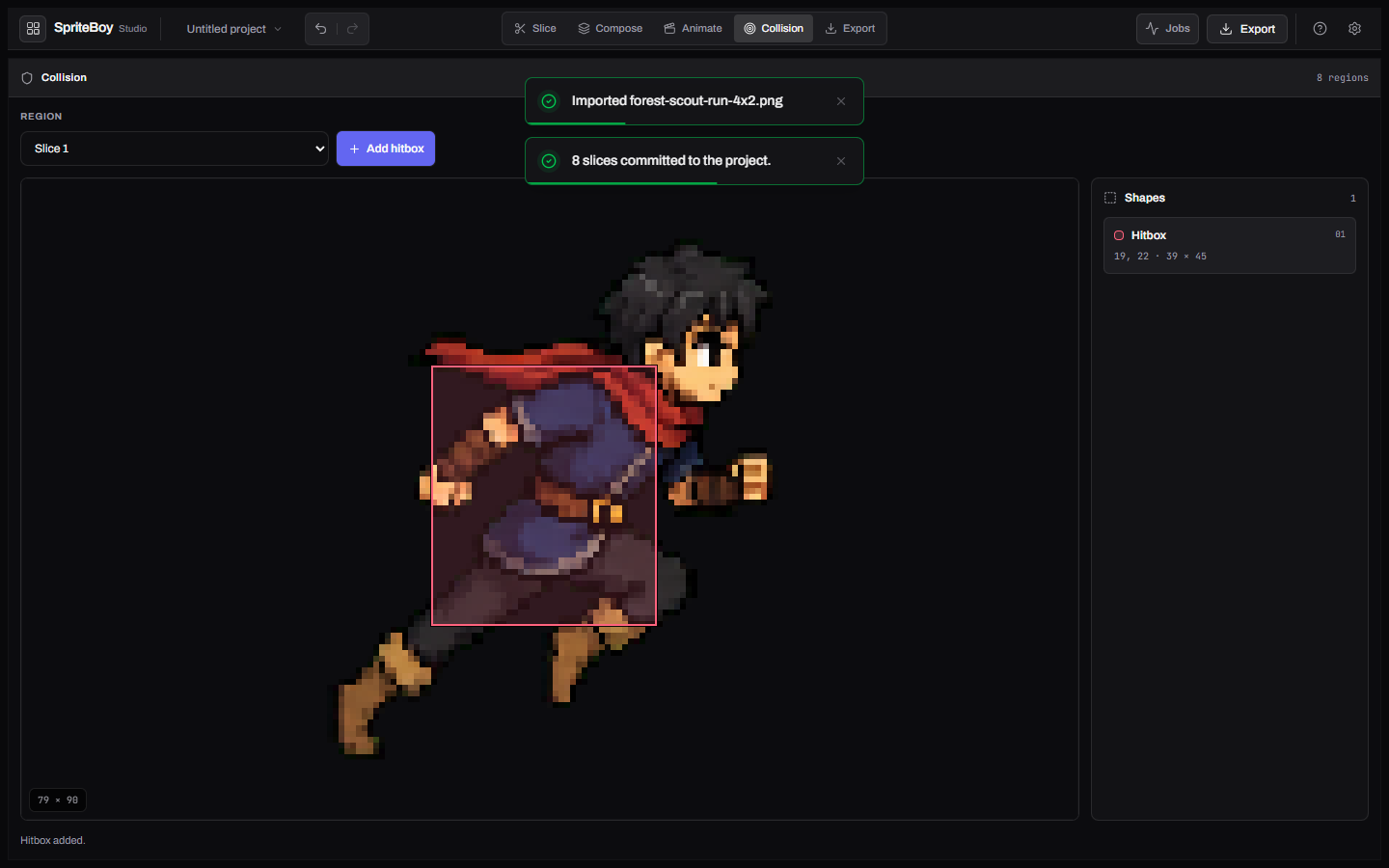
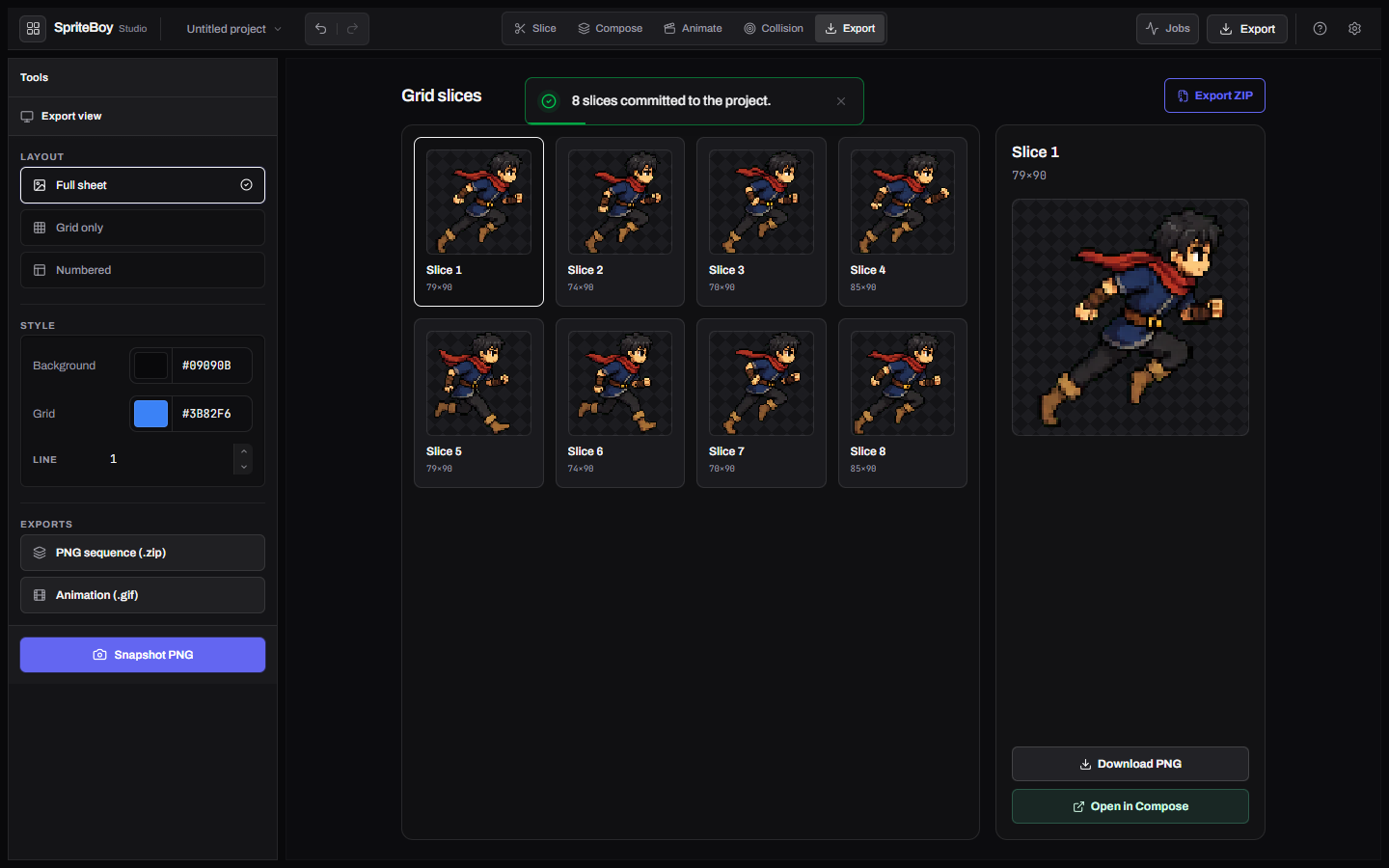
Slice workspace
From sprite-boy
Output
comfyui-ntsc-rs turned the first photo into the other three. What the app makes goes here, not in screens.


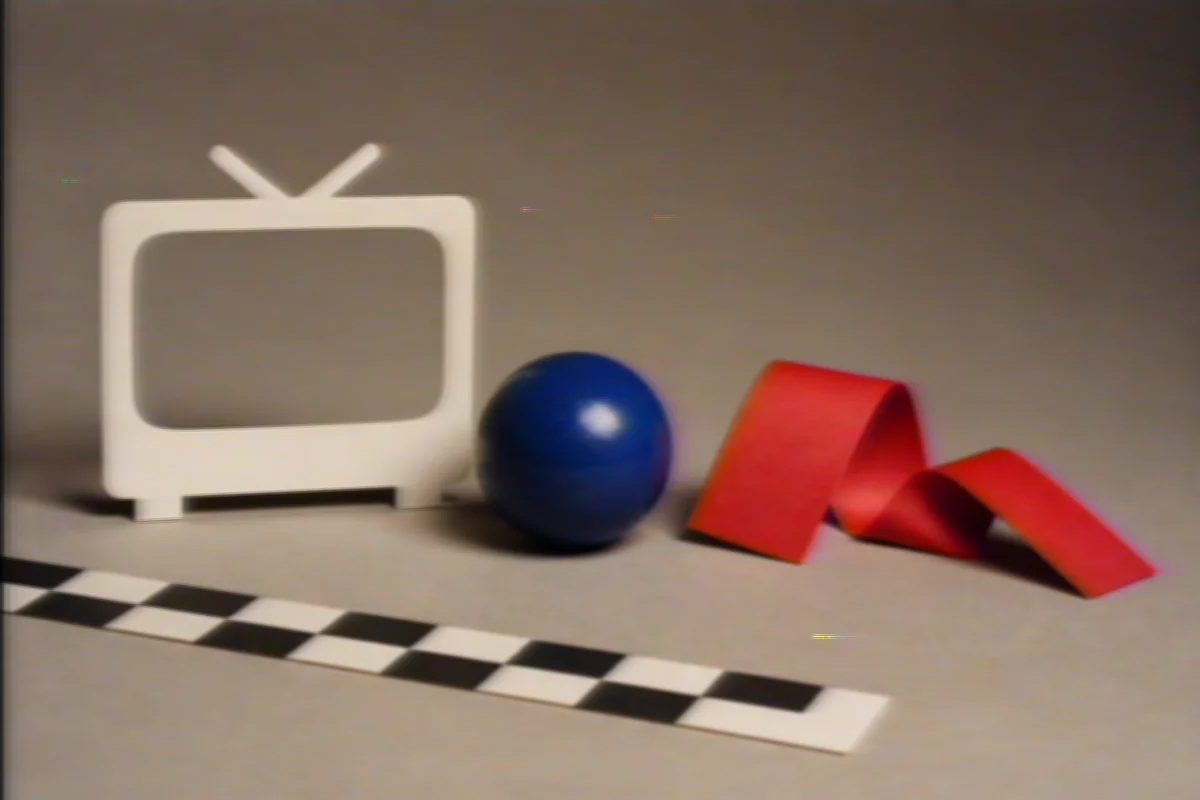

From comfyui-ntsc-rs
Demo
Each tab shows a real file from this kit.
Name, colors, text, and section order live in one file. Empty sections do not show.
schema: gvaste-pages/v1preset: appsections: [hero, demo, docs, links]The script fills the templates, copies images, and writes index.html plus styles.css.
pnpm build# docs/index.html# docs/styles.cssCopy kit/, scripts/build-site.mjs, and a site.yaml. Point Pages at the generated docs/ folder.
kit/scripts/build-site.mjssite.yamlLive
Use this section when your project has a public URL. Dungeon Escape runs at this one.
dungeon.gvaste.ar
Play Dungeon Escape
WebGL2 is the default. Add ?renderer=webgpu to the URL for WebGPU.
From dungeon-escape
One command
pnpm build
npm run build
Then run pnpm preview to open docs/ on this machine.
Download
Panopticon publishes Windows builds on GitHub Releases.
From panopticon
Keys
These shortcuts come from the Panopticon README.
| Input | Action |
|---|---|
| Tab | Next layout |
| 17 | Select a layout |
| R | Refresh windows |
| O | Open settings |
| CtrlAltP | Focus Panopticon |
From panopticon
Status
TokenUsage counts a listed provider and a working reader as two different things.
| Row | Status | Count |
|---|---|---|
| Active readers | active | 10 |
| Prepared | prepared | 35 |
| Policy blocked | blocked | 9 |
| Opt-in held | held | 1 |
From tokenusage
Objects
Panopticon names seven layout modes in its README.
Grid
Even thumbnail field.
Mosaic
Mixed tile sizes.
Bento
Packed groups.
Fibonacci
Ratio split.
Columns
Vertical stacks.
Row
One horizontal strip.
Column
One vertical strip.
From panopticon
Docs
site.yaml fields on the kit page, plus the two app landings.
Limits
GitHub Pages cannot host APIs
The github section reads api.github.com in the browser. A private repo will not fill.
If the repo has no release
The gallery and screens sections need image files that exist next to the YAML.
Privacy
Panopticon lists what stays local in its README.
From panopticon
Agent skill
This install line comes from the quality-obsessed README.
Trigger quality-obsessed
npx skills@1.5.15 add gvastethecreator/quality-obsessed
.agents/skills/quality-obsessed
.claude/skills/quality-obsessed
.opencode/skills/quality-obsessed
Without the installer, copy the pack into .agents/skills, .claude/skills, or .opencode/skills.
From quality-obsessed
Evidence
ruthless-designer writes these files during each build.
Links
Keep a section only when your project can fill it.
Use this template